Since version 2022.2.12 of Remote Desktop Manager, the Web Browser session entry type is now known as Website, and the old Website information entry type has been renamed to Website (legacy), as it is a deprecated entry type.
Follow the steps below to convert your Website (legacy) entry to a Website entry type in Remote Desktop Manager using Special actions.
To convert several entries at once, you can perform a batch conversion by searching by Connection type with the Advanced Search feature. If your entries are in multiple vaults, you can search using the broader Information connection type to include Website (legacy) entries. Note that this will also return other information-type entries, so additional filtering may be required. First make sure your vault(s) contain Website (legacy) entries, otherwise the entry type will not appear in the search options. Visit Batch Edit for more information.
Select the entry you want to convert in the navigation pane. It is possible to select multiple entries at once, provided they are of the same type.
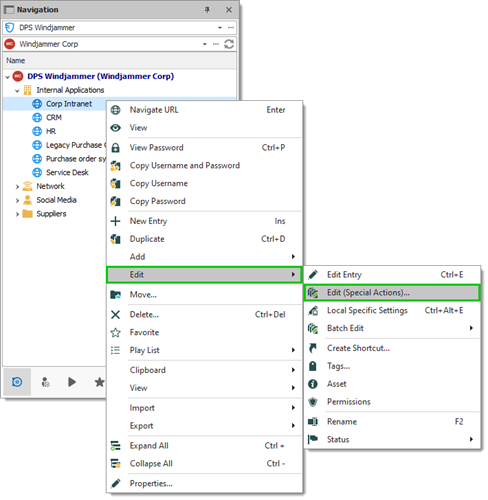
Right-click the entry and select Edit – Edit (special actions). Alternatively, you can use the Ribbon by clicking on Edit (Special Actions) in the Batch section of the Edit tab.
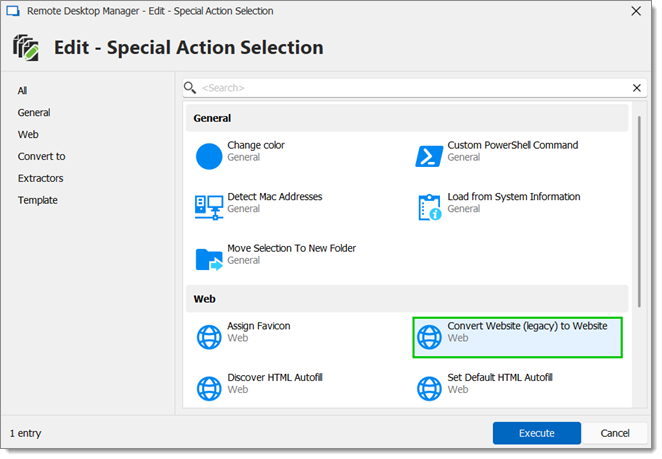
In the Web section, select Convert website (legacy) to Website and click Ok.
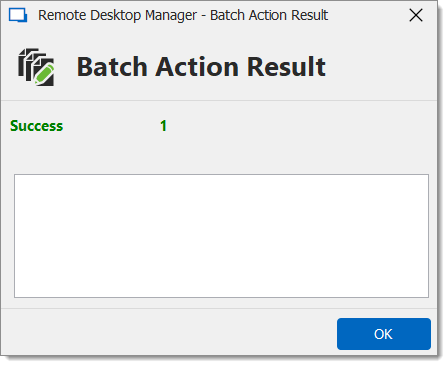
Click OK in the Batch action result window.
Your entry has now been converted.
 Share your feedback