Remote Desktop Manager allows users to mark entries using colored categories. These categories help classify entries at a glance, improving navigation and identification.
Select an entry and click Edit – Local color coding – Manage
Applying Local color coding to a local workspace or folder causes all entries within it to inherit the colored category.
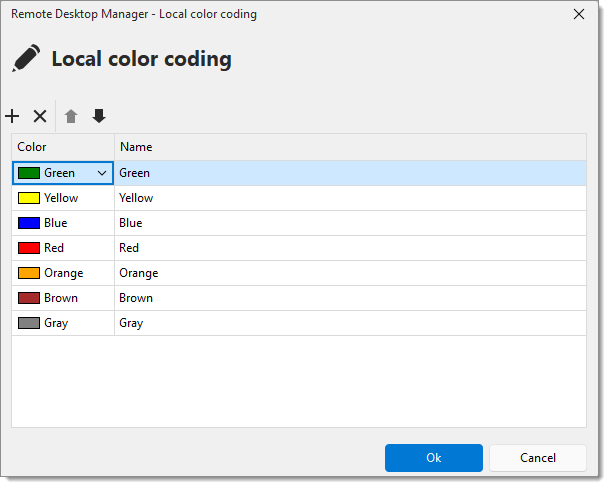
| SETTINGS | DESCRIPTIONS |
|---|---|
| Add a category | Create a new category and assign a custom color (custom or web). |
| Remove a category | Delete the category. |
| Edit a category | Select a category to change the color using the color drop-down list or modify the category name. |
| Reorder a category | Click the up/down arrow buttons to adjust the order of categories. |
This example shows each entry assigned to a different category.
 Share your feedback