The JWT (JSON Web Token) entry allows users to securely generate and store JSON web tokens, as well as related metadata and credentials, in Remote Desktop Manager.
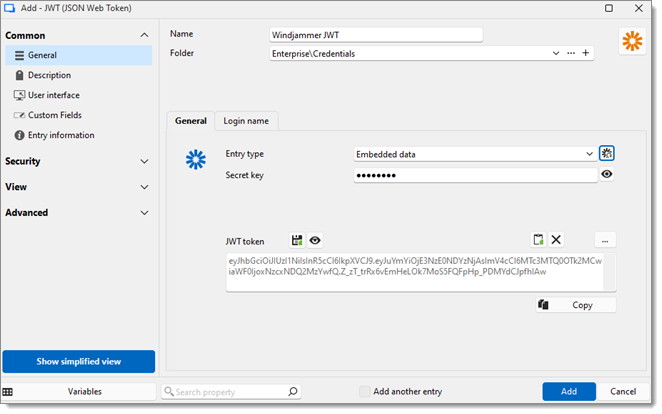
SETTING | DESCRIPTION |
|---|---|
Entry type | Choose a method to retrieve the JSON Web Token between:
|
Generate a new package with the current selection | Generate a new token and open the JWT generator window, in which can be determined which Algorithm to use, entered Claims and Custom claims, and preview what the token package will look like. The View button above the JWT token field brings up the same window, only without generating a new token. |
Secret key | Decryption key of the token. This field is automatically filled when generating a new token or importing one from a local file. The field can be made visible by clicking the Reveal password next to it. |
Username | This username will be used when authenticating into sessions using the JWT entry as linked credentials. |
Password | Enter the password associated with the username. Generate a password or use the Password generator. The password can be revealed or hidden by clicking the eye icon. |
 Share your feedback