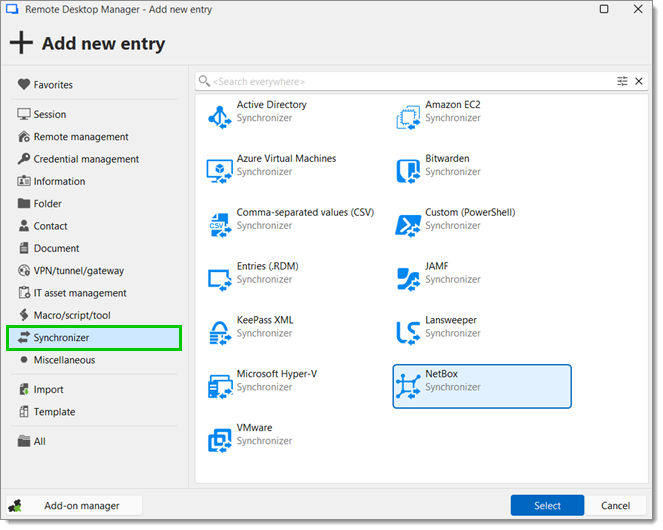
Chaque champ de l'entrée NetBox est décrit ci-dessous. L'entrée peut se trouver dans Nouvelle entrée – Synchronisateur – NetBox.
| PARAMÈTRES | DESCRIPTIONS |
|---|---|
| Nom | Nom de l'entrée dans le Remote Desktop Manager. |
| Dossier | Dans quel dossier de Remote Desktop Manager l'entrée sera-t-elle. |
| Identifiants | Lire davantage sur options des identifiants. |
| Synchroniser automatiquement | L'entrée dans le Remote Desktop Manager se synchronisera automatiquement. |
| PARAMÈTRES | DESCRIPTIONS |
|---|---|
| URL | Entrer l'URL de votre domaine NetBox. |
| ID du token | Entrer votre ID de jeton de NetBox. |
| Modèle | Choisir un modèle pour les entrées de session qui seront synchronisées. |
| Dossier de destination | Définir un dossier de destination pour les entrées synchronisées. |
| PARAMÈTRES | DESCRIPTIONS |
|---|---|
| Liste des champs | Vérifier quels champs doivent toujours être synchronisés et lesquels ne le seront pas. |
| Préfixe du nom de session | Ajouter un préfixe pour l'entrée qui sera créée par le synchronisateur. |
| Suffixe du nom de session | Ajouter un suffixe pour l'entrée qui sera créée via le synchroniseur. |
| SETTINGS | DESCRIPTIONS |
|---|---|
Mode silencieux | Cette option désactive les dialogues d'erreur (utile lorsque le synchroniseur fonctionne automatiquement à des intervalles définis). |
Mettre à jour le dossier uniquement pour les éléments nouvellement découverts | Empêcher le synchronisateur de déplacer les entrées déjà créées. |
Vérification des doublons | Les vérifications de doublons empêchent l'importation d'entrées du même type et hôte. Choisir entre :
|
Action en cas de non-correspondance d'entrée | Choisir entre :
|
 Partagez vos commentaires