Remote Desktop Manager permet aux utilisateurs de marquer des entrées en utilisant des catégories colorées. Ces catégories aident à classifier des entrées d'un coup d'œil, améliorant la navigation et l'identification.
Sélectionner une entrée et cliquer sur Modifier – Code couleur local – Gérer
Appliquer le codage couleur local à une source de données locale ou à un dossier fait hériter à toutes les entrées de la catégorie colorée.
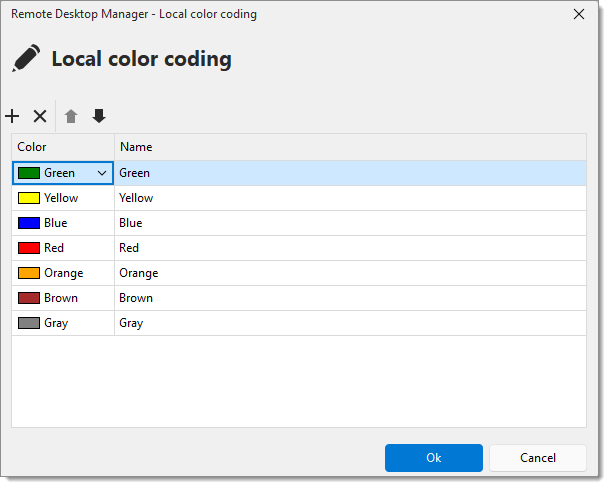
| PARAMÈTRES | DESCRIPTIONS |
|---|---|
| Ajouter une catégorie | Créer une nouvelle catégorie et assigner une couleur personnalisée (personnalisée ou web). |
| Retirer une catégorie | Supprimer la catégorie. |
| Modifier une catégorie | Sélectionner une catégorie pour changer la couleur en utilisant la liste déroulante des couleurs ou modifier le nom de la catégorie. |
| Réorganiser une catégorie | Cliquer sur les flèches haut/bas pour ajuster l'ordre des catégories. |
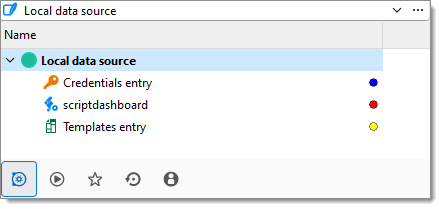
Cet exemple montre chaque entrée assignée à une catégorie différente.
 Partagez vos commentaires