You can get access to the user vault of a Devolutions Hub Business user who has left your organization without the need to connect with their account, and restore it as a shared vault.
-
In Devolutions Hub Business, go in Administration – Users.
-
Find and Delete the user by clicking on the recycling bin next to his vault.
-
Click on Administration – Vaults.
-
In the filtering drop-down menus:
In Type, select User vault.
In Status, select Deleted.
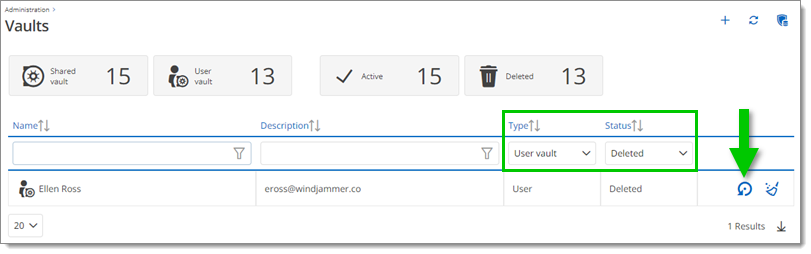
Type and status -
Click Restore as a shared vault button.
You can now view the restored vault in the vault selector of Devolutions Hub.
 Share your feedback