Export your Devolutions Hub data in JSON format by following the instructions below:
-
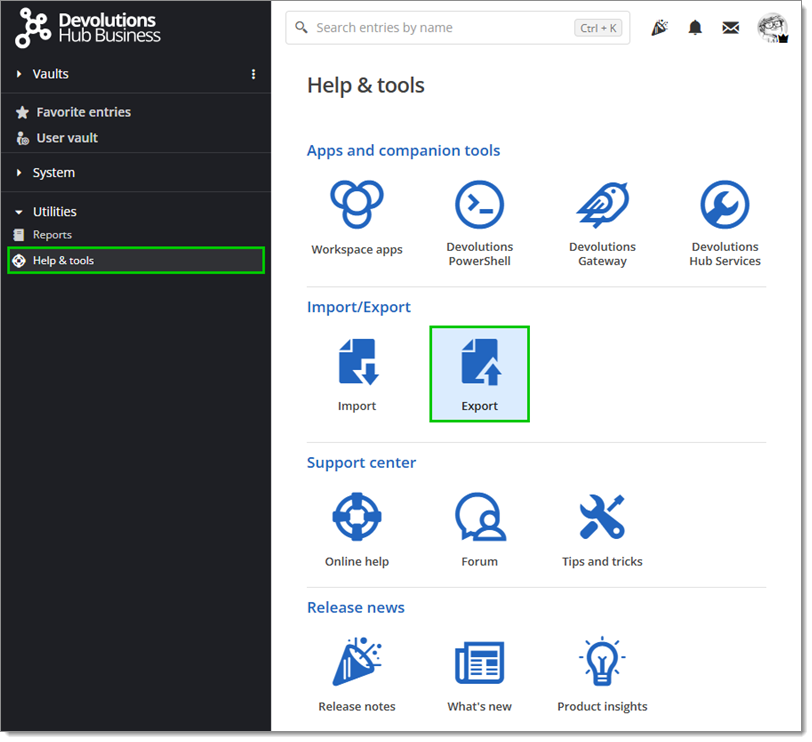
In Help & tools, click on Export.
-
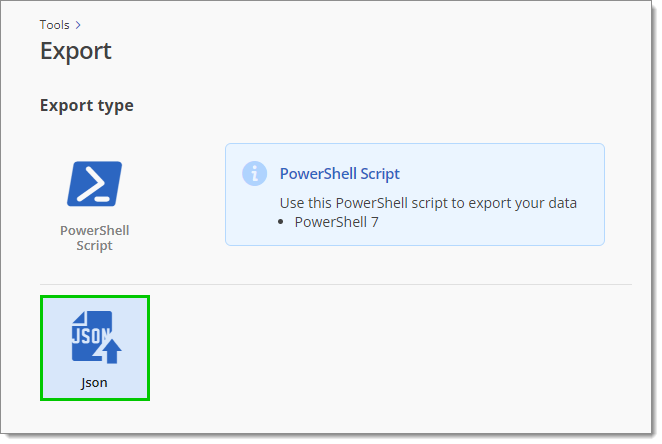
Select the JSON export type.
-
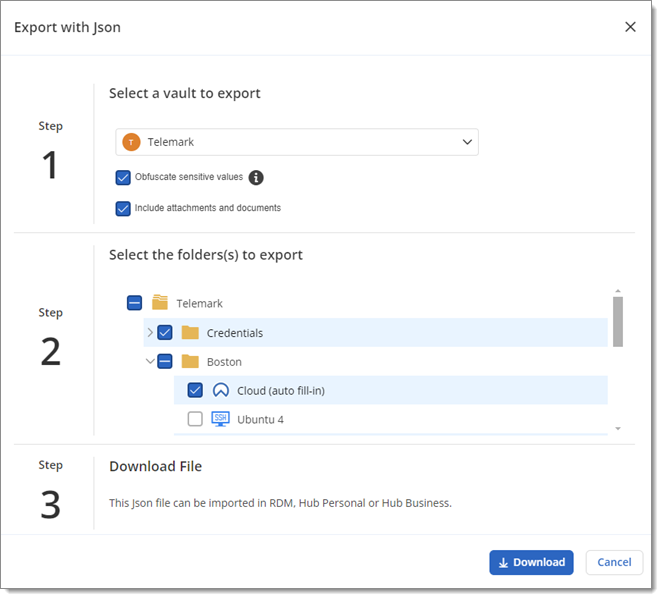
Select the vault to export (Devolutions Hub Business only) and configure the two related options as needed:
Obfuscate sensitive values: Makes your sensitive information harder to decypher. For security purposes, it is recommended to leave it enabled.
Include attachments and documents: Allows you to export the attachments and documents in your folders and entries.
-
Select folders and entries to export.
-
Click Download to export your selection in JSON format.
 Share your feedback