Devolutions Server Free allows to control access to privileged accounts and manage sessions through a secure solution. For more information, consult the Devolutions Server Free web page.
Highly secured server for your company.
Shared connection and credentials with multiple users.
Installed on-premises; can be deployed online.
Support Windows authentication and Active Directory group integration.
Optimized client and server-side caching.
Devolutions Server Free supports Microsoft SQL Server and Microsoft Azure SQL as a data store.
For more information, consult these topics:
Enter the data source name and the URL for the host. Ensure to use the correct protocol if SSL is required by the server (https).
Alternatively, export the data source information and then import the file in your client workstations as described Import and export a data source.
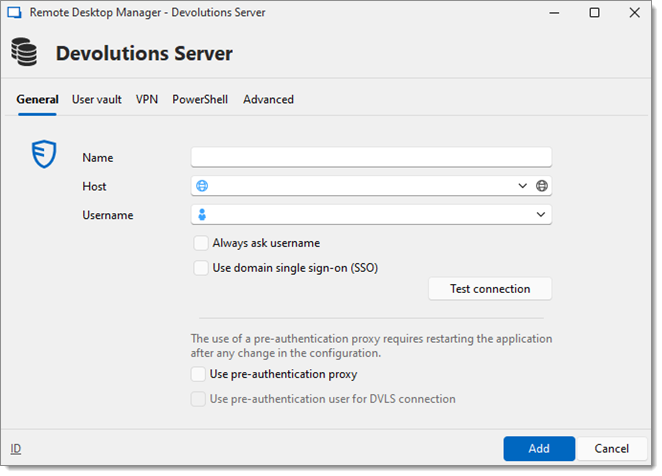
| OPTION | DESCRIPTION |
|---|---|
| Name | Enter a name for the data source. |
| Host | Enter the URL of the Devolutions Server Free instance. |
| Username | Enter the username to connect to the data source. |
| Always ask username | Always ask for the username when connecting to the data source. |
| Use domain single sign-on (SSO) | Use domain single sign-on (SSO) if previously configured in the Devolutions Server Free instance. |
| Test connection | Test the connection with Devolutions Server Free free to validate the credentials. |
| Use pre-authentication proxy | Allow the user of a pre-authentication proxy as part of Azure pre-authentication. |
| Use pre-authentication user for DVLS connection | Allow the user of a pre-authentication proxy user as part of Azure pre-authentication (if Microsoft authentication has been checked). |
| OPTION | DESCRIPTION |
|---|---|
| Name | Enter a name for the data source. |
| Host | Enter the URL of the Devolutions Server Free free instance. |
| Username | Enter the username to connect to the data source. |
| Always ask username | Always ask for the username when connecting to the data source. |
| Test connection | Test the connection with Devolutions Server Free free to validate the credentials. |
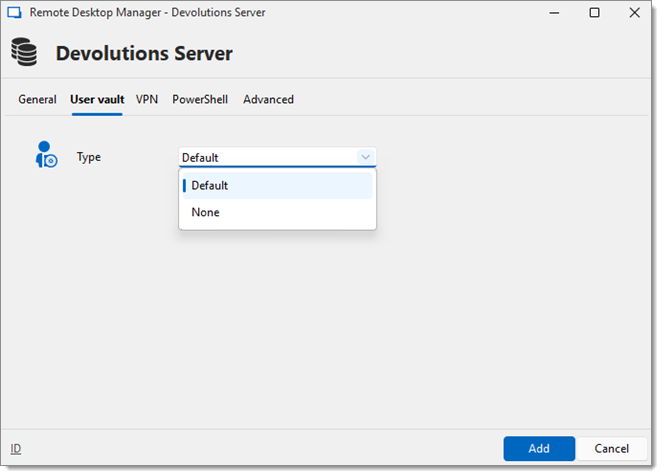
OPTION | DESCRIPTION |
|---|---|
Type | Select the type of user vault to use. Select between:
|
OPTION | DESCRIPTION |
|---|---|
Connection type | Select the type of user vault to use. Select between:
|
Open a VPN to access data prior to connecting to Devolutions Server Free.
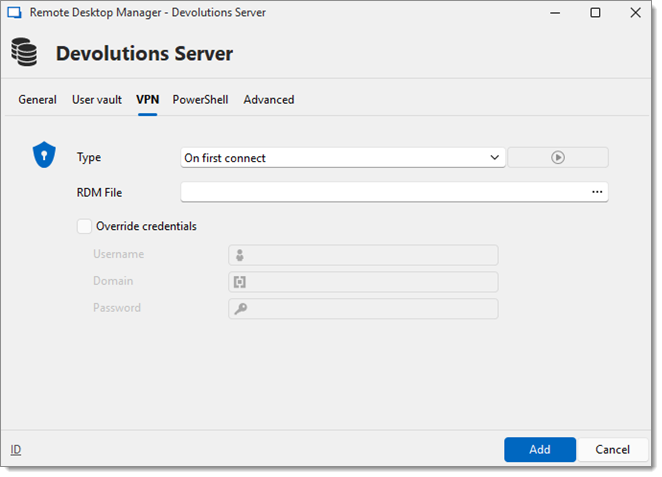
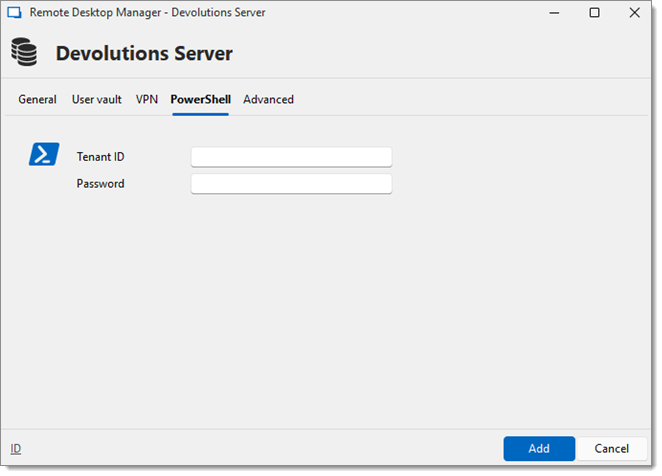
| OPTION | DESCRIPTION |
|---|---|
| Tenant ID | Stores application Tenant ID for PowerShell to retrieve. |
| Password | Stores application password for PowerShell to retrieve. |
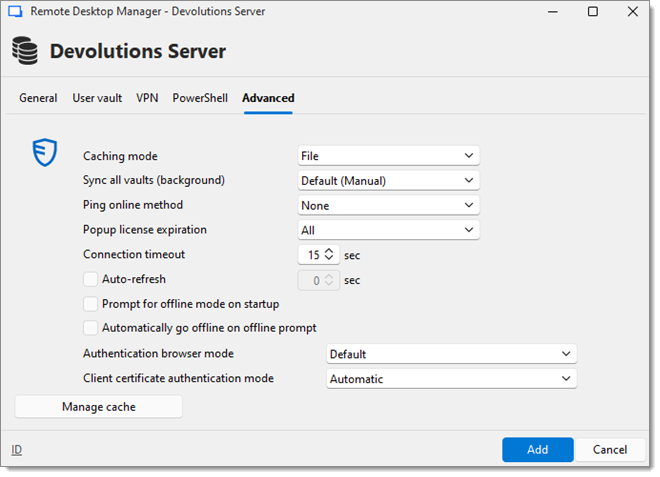
OPTION | DESCRIPTION |
|---|---|
Caching mode | Determines how the entries will be reloaded in the data source. For more information, consult Caching. Note that the File mode is only available if Always ask username is checked in the General tab. |
Sync all vault (background) | Synchronization ensures that any changes made to a vault, such as updating passwords or adding new sessions, are propagated across all connected devices and users in real time. |
Ping online method | Indicate the preferred ping online method. Select between:
|
Popup license expiration | Determine how the application advises of the license expiration. Select between:
|
Connection timeout | Set a connection timeout delay for the Devolutions Server Free instance. |
Auto refresh | Set the interval for the automatic refresh. |
Prompt for offline mode on startup | Ask to use the data source in offline mode when the user connects to it. |
Automatically go offline on offline prompt | Use the data source in offline mode when the ping method does not respond. |
Authentication browser mode | Set the authentication browser mode for the data source. Available options are: Default, Embedded, and External. |
Client certificate authentication mode | Determine how client certificates are to be authenticated. |
Manage cache | Clear the output, analyze or delete the content of the Devolutions Server Free instance's cache. |
OPTION | DESCRIPTION |
|---|---|
Caching mode | Determines how the entries will be reloaded in the data source. For more information, please consult Caching. |
Prompt for offline mode on startup | Ask to use the data source in offline mode when the user connects to the data source. |
Ping online method | Indicate the preferred ping online method. Select between:
|
Automatically go offline on offline prompt | Use the data source in offline mode when the ping method does not respond. |
Connection timeout | Set a connection timeout delay for the Devolutions Server Free instance. |
Auto refresh | Set the interval for the automatic refresh. |
Manage cache | Clear the output, analyze or delete the content of the Devolutions Server Free instance's cache. |
Client certificate authentication mode | Determine how client certificates are to be authenticated. |
 Share your feedback