Although Devolutions' PAM capabilities are usually managed at the vault or system level, they can also be leveraged for specific session entries in a few clicks. Here is how:
-
Click on the Properties (pencil icon) of your chosen entry.
-
Under Common – General, click on the Credentials dropdown menu and select Privileged account.
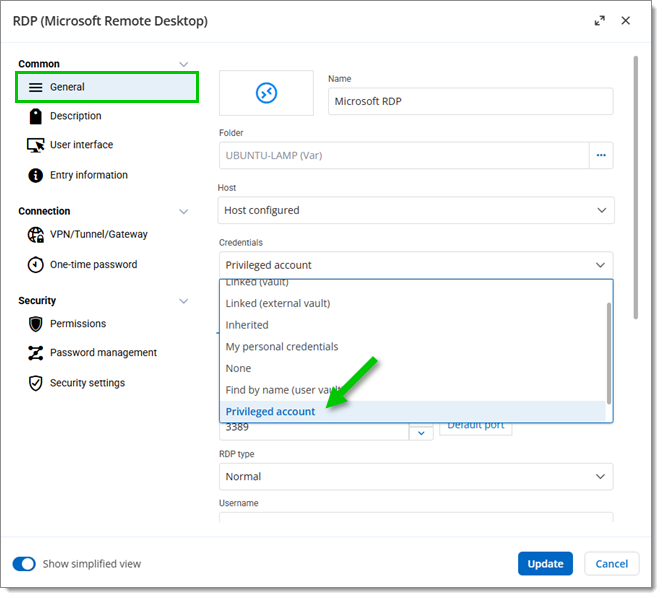
-
Select a previously created privileged account (a PAM entry linked to a PAM provider) from the list. Click Update.
-
Click Open session in the dashboard.
 Share your feedback