Devolutions Cloud URLs are generated automatically upon creation, with a default URL based on the chosen region and a unique ID. The URL is unrelated to the name given to the workspace during creation, which is only used for display purposes (e.g., in Devolutions Portal and other Devolutions products).
Be careful when setting a custom name and subdomain, as this action is irreversible.
To change the URL, follow these steps:
-
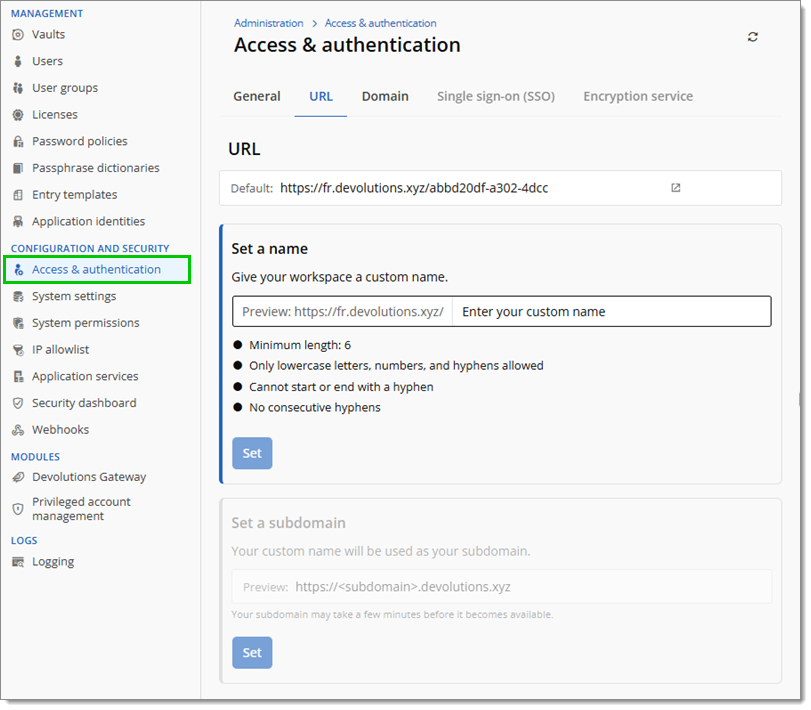
Head to Administration – Access and authentication – URL.
-
Enter a custom name for the workspace and click Set.
-
A subdomain can also be set for the URL here. By default, the custom name set in step #2 is used as the subdomain.
 Share your feedback