Follow the steps below to complete the installation of the Devolutions Workspace browser extension in the Opera web browser.
Open an Opera window.
Download the Devolutions Workspace browser extension from our web page.
Click on Go to Extensions from the information panel at the top of the screen.

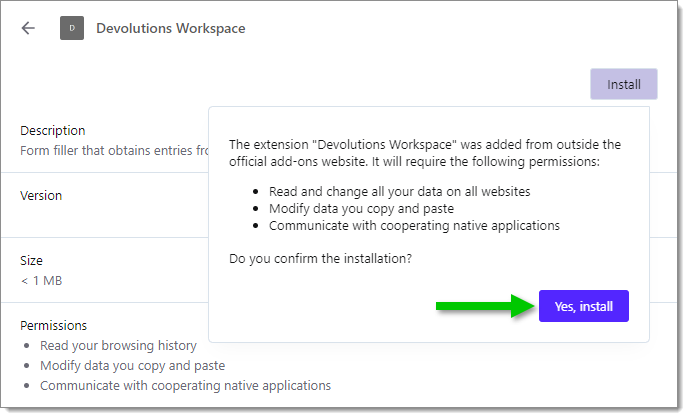
Click Install, then Yes, install.
Click on the Opera Extensions button and Pin the Devolutions Workspace browser extension to finish the installation.
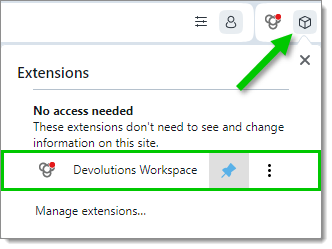
You can now access the extension by clicking the Devolutions Workspace browser extension button in the top-right corner of your Opera web browser.
 Share your feedback