> For the complete documentation index, see [llms.txt](https://docs.devolutions.net/llms.txt). Markdown versions of documentation pages are available by appending `.md` to page URLs; this page is available as [Markdown](https://docs.devolutions.net/server/web-interface/utilities/reports/login.md).
# Login
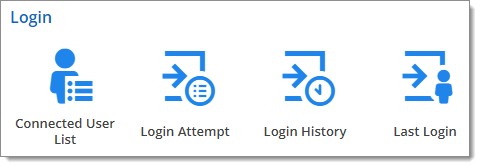
The ***Login*** section provides tools to audit ***Connected User List***, ***Login Attempt***, ***Login History***, and ***Last Login***.
You can refine your search with the filters for each report and click the ***Export*** button of each section to create a CSV file.
#### Connected User List
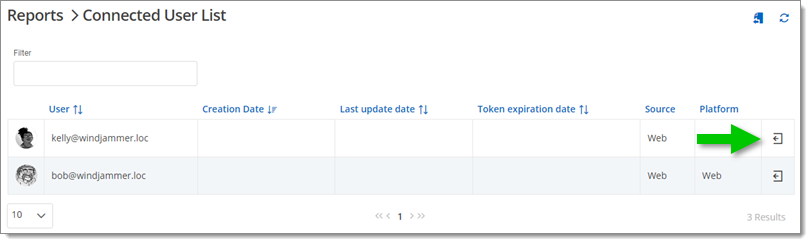
The ***Connected User List*** report displays the users that are currently connected to the Devolutions Server workspace and provide the option to disconnect users.
#### Login Attempt
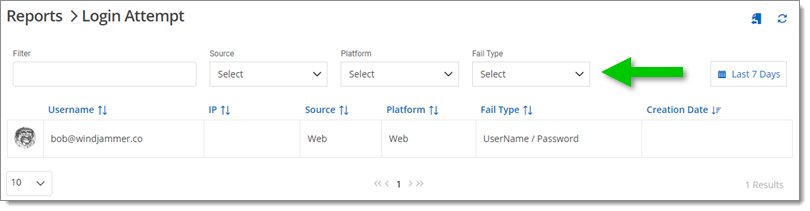
The ***Login Attempt*** lists all unsuccessful logins to the Devolutions Server workspace. ***Fail Type*** are listed in a drop down menu to choose from and refine your search. You can also click on the calendar button and choose a specific time frame to further narrow your search. Note that by using the ***Custom*** option, you can access archived data (earlier than 90 days).
#### Login History
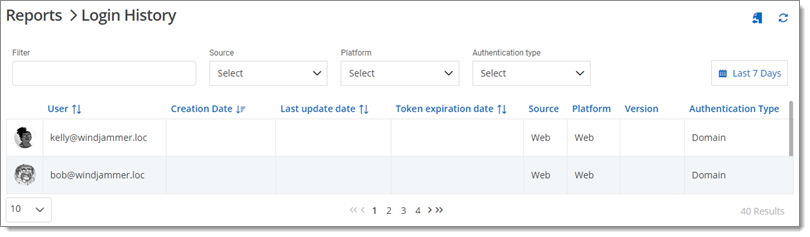
The ***Login History*** displays the information of each user that has been connected to the Devolutions Server workspace with the ***Source***, ***Platform***, ***Version*** of the application and the ***Authentication Type***. To further narrow your search, you can click on the calendar button and choose a specific time frame. Note that by using the ***Custom*** option, you can access archived data (earlier than 90 days).
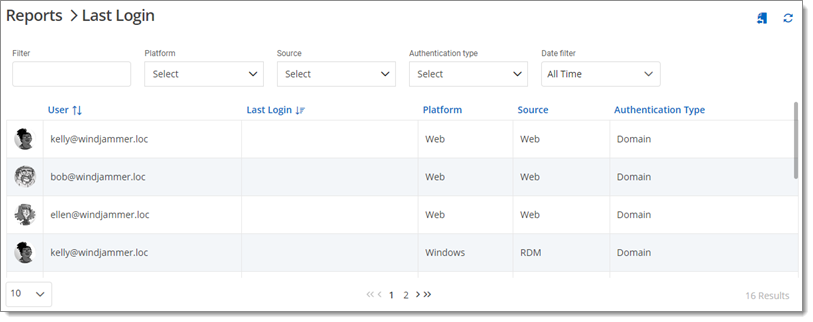
#### Last Login
This report displays the last login information to the Devolutions Server for each user.
#### See also
* [Devolutions Academy – Using reports and logs](https://academy.devolutions.net/student/page/2942442-using-reports-and-logs?curriculum_activity_id=4493540\&path_id=2942210\&sid=7e086388-2de5-46a3-8d9d-e423bafae256\&sid_i=0)
---
# Agent Instructions
This documentation is published with GitBook. GitBook is the documentation platform designed so that both humans and AI agents can read, navigate, and reason over technical content effectively. Learn more at gitbook.com.
## Querying This Documentation
If you need additional information that is not directly available in this page, you can query the documentation dynamically by asking a question.
Perform an HTTP GET request on the current page URL with the `ask` query parameter:
```
GET https://docs.devolutions.net/server/web-interface/utilities/reports/login.md?ask=
```
The question should be specific, self-contained, and written in natural language.
The response will contain a direct answer to the question and relevant excerpts and sources from the documentation.
Use this mechanism when the answer is not explicitly present in the current page, you need clarification or additional context, or you want to retrieve related documentation sections.