> For the complete documentation index, see [llms.txt](https://docs.devolutions.net/llms.txt). Markdown versions of documentation pages are available by appending `.md` to page URLs; this page is available as [Markdown](https://docs.devolutions.net/server/it/knowledge-base/how-to-articles/identify-the-server-answering-on-a-high-availability-topology.md).
# Identificare il server che risponde in una topologia ad alta disponibilità
Identifichi quale server risponde alle richieste in una topologia di alta disponibilità o bilanciamento del carico di Devolutions Server aggiungendo un'intestazione di risposta HTTP personalizzata.
I passaggi seguenti spiegano come definire quale server sta rispondendo quando ci si connette alla pagina web di Devolutions Server in una topologia High Availability/Load Balancing.
1. Apra IIS Manager sul server in cui è ospitato Devolutions Server.
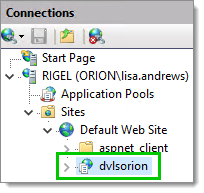
2. Espanda i nodi nel riquadro ***Connessioni*** e selezioni l'applicazione web Devolutions Server.
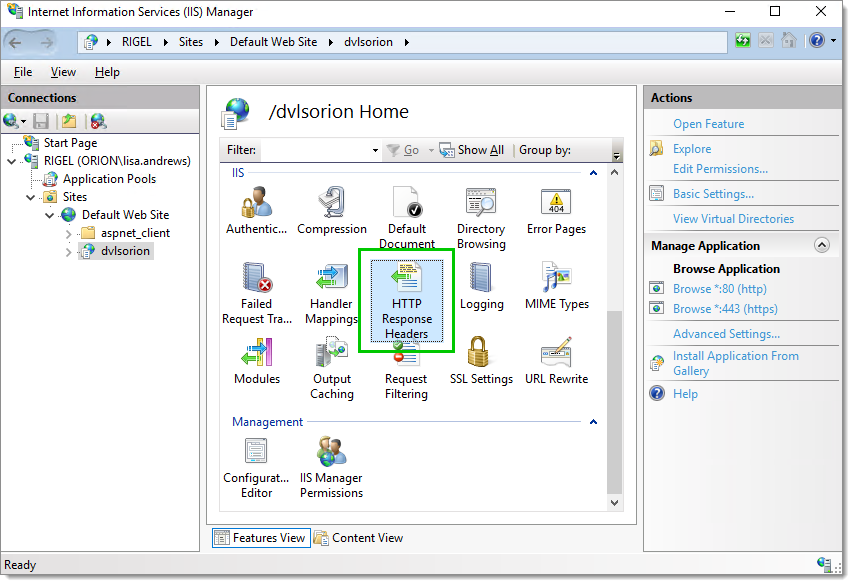
3. Apra ***HTTP Response Headers***.
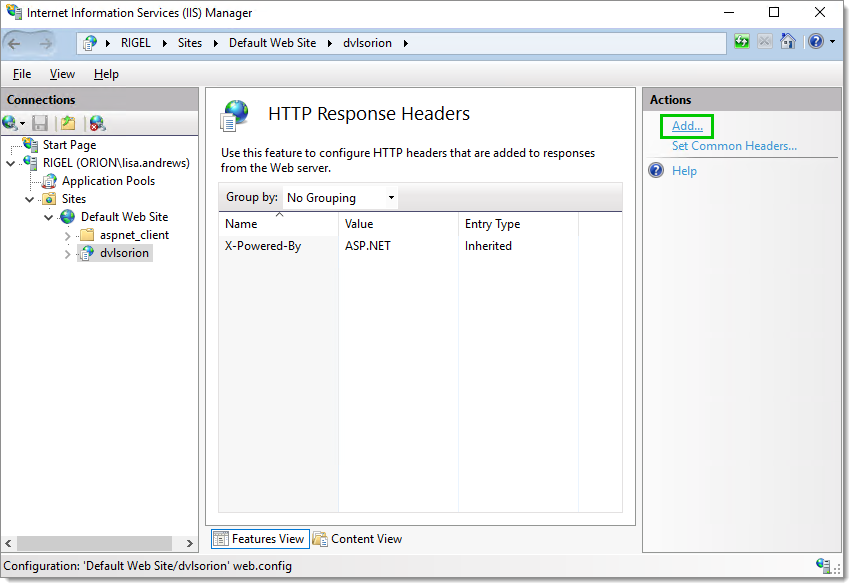
4. Clicchi su ***Add***.. nel riquadro ***Actions*** per aggiungere un nuovo ***HTTP Response Header***.
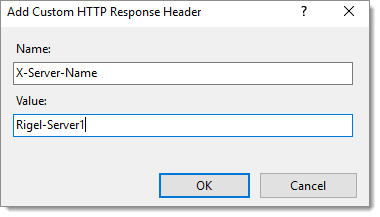
5. Inserisca un ***Name*** e un ***Value*** che identificheranno il server. Poi clicchi su ***OK*** per salvare queste informazioni.
6. Ripeta i passaggi da 1 a 5 su ogni server del suo cluster ***High Availability/Load Balancing***. È importante impostare un valore diverso per ogni server mantenendo però lo stesso ***Name***.
7. Apra il suo browser preferito.
8. Apra i ***Developer Tools*** nel browser. Di solito il tasto ***F12*** apre i ***Developer Tools*** in Google Chrome, Firefox o Microsoft Edge.
9. Vada alla pagina web di Devolutions Server.
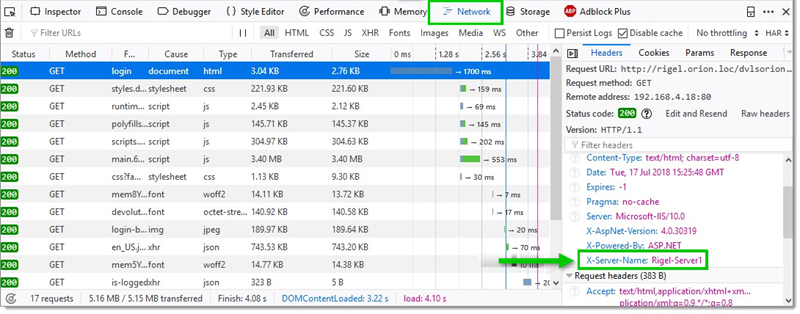
10. Usando Firefox, nella scheda ***Network***, dovrebbe trovare il valore del ***Custom HTTP Response Header*** del server del cluster che sta rispondendo.
### Riga di comando
```
%systemroot%\system32\inetsrv\APPCMD.EXE set config "Default Web Site" -section:system.webServer/httpProtocol /+"customHeaders.[name='X-Server-Name',value='node1']" /commit:apphost
```
---
# Agent Instructions
This documentation is published with GitBook. GitBook is the documentation platform designed so that both humans and AI agents can read, navigate, and reason over technical content effectively. Learn more at gitbook.com.
## Querying This Documentation
If you need additional information that is not directly available in this page, you can query the documentation dynamically by asking a question.
Perform an HTTP GET request on the current page URL with the `ask` query parameter, and the optional `goal` query parameter:
```
GET https://docs.devolutions.net/server/it/knowledge-base/how-to-articles/identify-the-server-answering-on-a-high-availability-topology.md?ask=&goal=
```
`ask` is the immediate question: it should be specific, self-contained, and written in natural language.
`goal` is optional and describes the broader end goal you are ultimately trying to accomplish on behalf of the user. GitBook uses it to tailor the answer towards what is most useful for that goal.
The response will contain a direct answer to the question and relevant excerpts and sources from the documentation.
Use this mechanism when the answer is not explicitly present in the current page, you need clarification or additional context, or you want to retrieve related documentation sections.