> For the complete documentation index, see [llms.txt](https://docs.devolutions.net/llms.txt). Markdown versions of documentation pages are available by appending `.md` to page URLs; this page is available as [Markdown](https://docs.devolutions.net/server/es/knowledge-base/how-to-articles/enforce-domain-containers.md).
# Aplicar contenedores de dominio
Aplique contenedores de dominio en Devolutions Server revisando las unidades organizativas configuradas para que todos los usuarios y grupos mantengan el acceso y los permisos adecuados.
Los contenedores de dominio se aplican en Devolutions Server. En versiones anteriores, siempre que las credenciales de administración tuvieran derechos sobre otras unidades organizativas (OU) del dominio, los usuarios y grupos de usuarios podían seguir utilizándose incluso si estaban fuera de esos contenedores. Ya no es así.
Asegúrese de que todos los usuarios y grupos de usuarios se puedan utilizar:
1. Inicie sesión en la interfaz web de Devolutions Server con una cuenta de administrador.
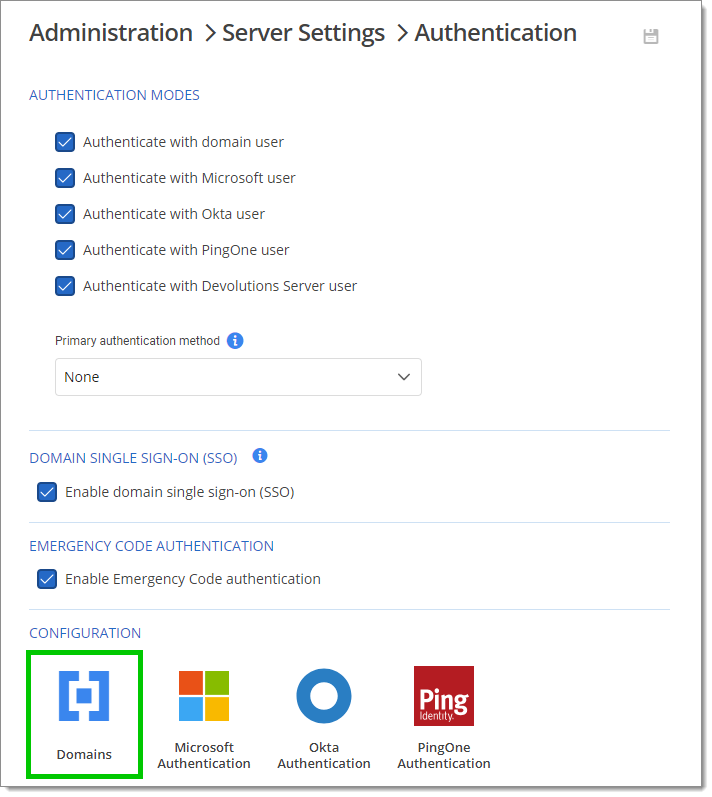
2. Vaya a ***Administración – Configuración del servidor – Autenticación – Dominios***.
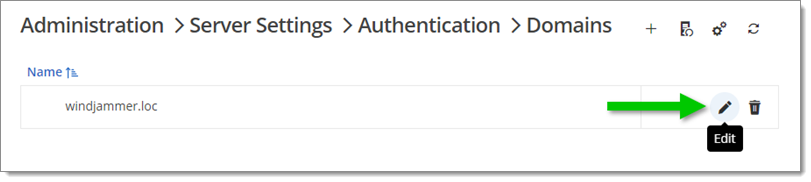
3. Haga clic en ***Editar*** junto a su dominio.
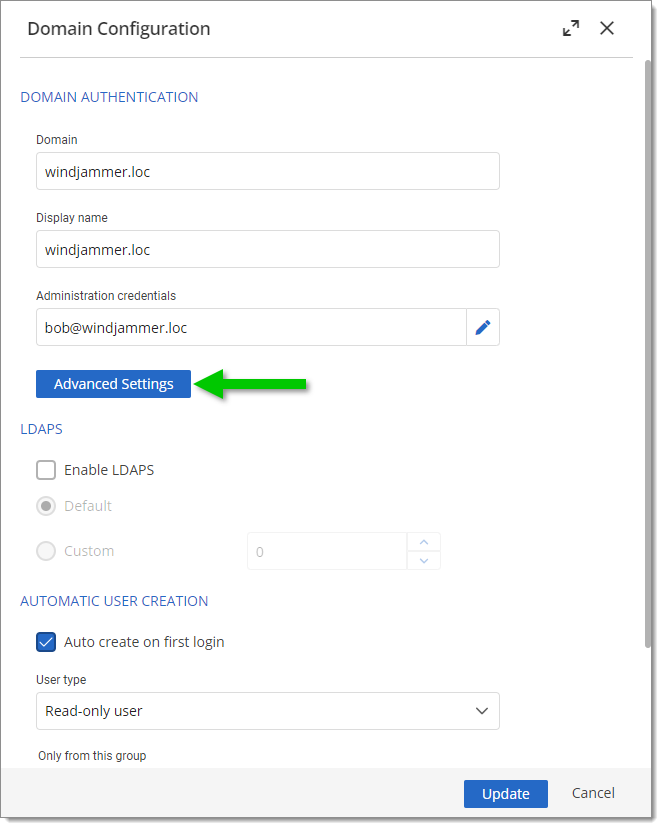
4. Vaya a ***Configuración avanzada***.
5. En ***Contenedores de dominio***, compruebe si tiene alguna OU seleccionada. Si tiene alguna configurada, asegúrese de que todos los usuarios y grupos de usuarios estén incluidos aquí, ya que, de lo contrario, los usuarios y grupos que estén fuera de esos contenedores no podrán conectarse ni tener los permisos adecuados. También puede eliminar esas restricciones de contenedores de dominio si su Active Directory no es grande.
6. Haga clic en ***OK*** y luego en ***Actualizar*** para guardar los cambios.
---
# Agent Instructions
This documentation is published with GitBook. GitBook is the documentation platform designed so that both humans and AI agents can read, navigate, and reason over technical content effectively. Learn more at gitbook.com.
## Querying This Documentation
If you need additional information that is not directly available in this page, you can query the documentation dynamically by asking a question.
Perform an HTTP GET request on the current page URL with the `ask` query parameter, and the optional `goal` query parameter:
```
GET https://docs.devolutions.net/server/es/knowledge-base/how-to-articles/enforce-domain-containers.md?ask=&goal=
```
`ask` is the immediate question: it should be specific, self-contained, and written in natural language.
`goal` is optional and describes the broader end goal you are ultimately trying to accomplish on behalf of the user. GitBook uses it to tailor the answer towards what is most useful for that goal.
The response will contain a direct answer to the question and relevant excerpts and sources from the documentation.
Use this mechanism when the answer is not explicitly present in the current page, you need clarification or additional context, or you want to retrieve related documentation sections.