> For the complete documentation index, see [llms.txt](https://docs.devolutions.net/llms.txt). Markdown versions of documentation pages are available by appending `.md` to page URLs; this page is available as [Markdown](https://docs.devolutions.net/rdm/it/knowledge-base/how-to-articles/it-asset-entry.md).
# Voce asset IT
Crei una voce IT Asset in Remote Desktop Manager per tracciare computer, monitor, stampanti e la cronologia di assegnazione dei relativi proprietari nel tempo.
La voce ***IT Asset*** è utile per memorizzare informazioni su un gran numero di asset IT, come computer, monitor, stampanti e il loro stato.
### Creare una voce IT Asset
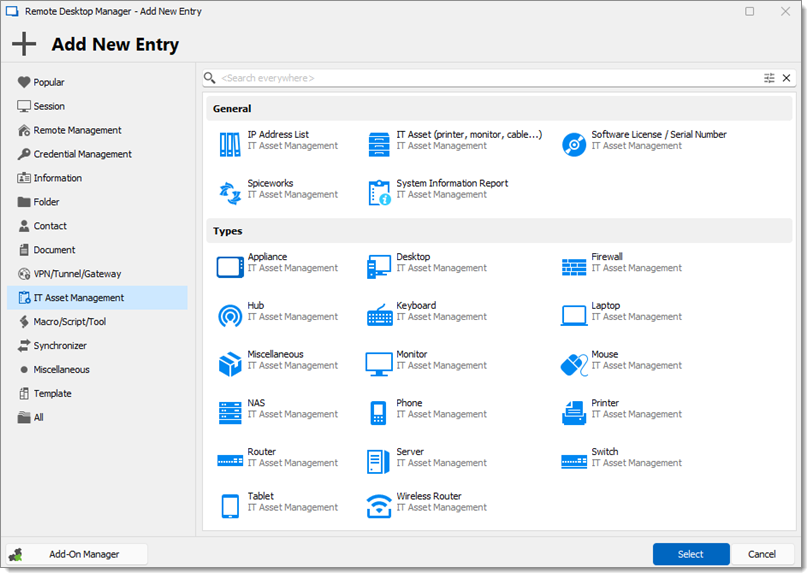
1. In Remote Desktop Manager, crei una nuova voce.
2. Selezioni ***IT Asset Management***.
3. Scelga il tipo di ***IT Asset*** che desidera elencare.
4. Faccia clic su ***Select*** per creare la voce.
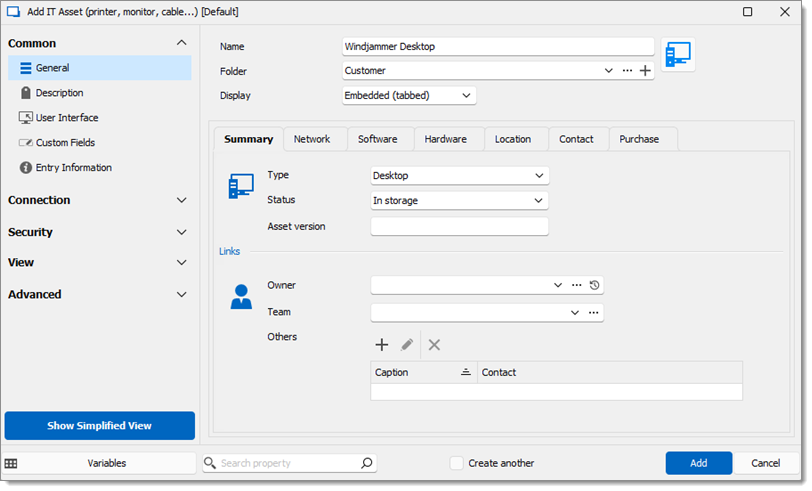
5. Inserisca le informazioni e faccia clic su ***Add***.
La voce viene salvata.
### Owner History
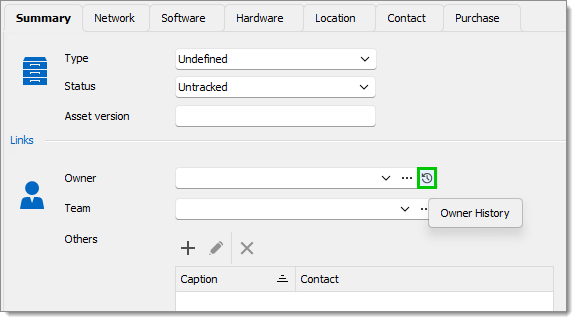
È possibile visualizzare la cronologia delle persone precedentemente assegnate a un asset, insieme alle date di inizio e di fine.
1. Selezioni ***Owner History***.
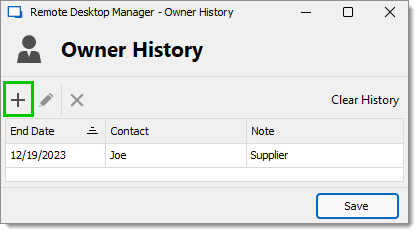
2. Si apre la finestra ***Owner History***.
3. È possibile aggiungere un nuovo ***Owner History item*** facendo clic su ***Add (+)***.
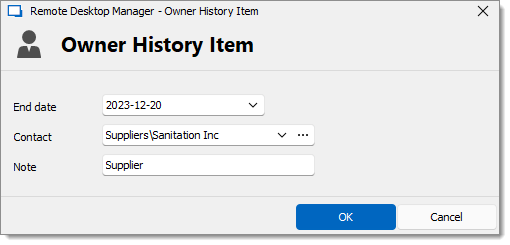
4. Inserisca ***End date***, ***Contact*** e ***Note***.
5. Faccia clic su ***OK***.
6. Faccia clic su ***Save*** per salvare la Owner history.
#### Vedi anche
* [Devolutions Academy - Gestione degli asset](https://academy.devolutions.net/student/path/1925039/activity/2667189)
* [Devolutions Academy – Funzionalità indispensabili per aumentare la produttività](https://academy.devolutions.net/student/page/3266674-must-know-features-to-boost-productivity?sid=66acc46b-f563-44e0-a318-00bfeaa0a374\&sid_i=0)
---
# Agent Instructions
This documentation is published with GitBook. GitBook is the documentation platform designed so that both humans and AI agents can read, navigate, and reason over technical content effectively. Learn more at gitbook.com.
## Querying This Documentation
If you need additional information that is not directly available in this page, you can query the documentation dynamically by asking a question.
Perform an HTTP GET request on the current page URL with the `ask` query parameter, and the optional `goal` query parameter:
```
GET https://docs.devolutions.net/rdm/it/knowledge-base/how-to-articles/it-asset-entry.md?ask=&goal=
```
`ask` is the immediate question: it should be specific, self-contained, and written in natural language.
`goal` is optional and describes the broader end goal you are ultimately trying to accomplish on behalf of the user. GitBook uses it to tailor the answer towards what is most useful for that goal.
The response will contain a direct answer to the question and relevant excerpts and sources from the documentation.
Use this mechanism when the answer is not explicitly present in the current page, you need clarification or additional context, or you want to retrieve related documentation sections.