> For the complete documentation index, see [llms.txt](https://docs.devolutions.net/llms.txt). Markdown versions of documentation pages are available by appending `.md` to page URLs; this page is available as [Markdown](https://docs.devolutions.net/powershell/it/remote-desktop-manager-powershell/powershell-scripting/custom-powershell-commands.md).
# Comandi PowerShell personalizzati
Esegua un comando PowerShell personalizzato sulle voci selezionate nel riquadro di navigazione di Remote Desktop Manager per modificare più sessioni contemporaneamente.
Il comando PowerShell personalizzato agisce sulle voci attualmente selezionate nel ***riquadro di navigazione***. Utilizzi il clic e Ctrl+clic per comporre l'elenco, oppure una [ricerca avanzata](https://docs.devolutions.net/rdm/it/ribbon-menu-bar/view/search/advanced-search) per selezionare un grande numero di voci. Una volta effettuata la selezione, il comando è disponibile utilizzando:
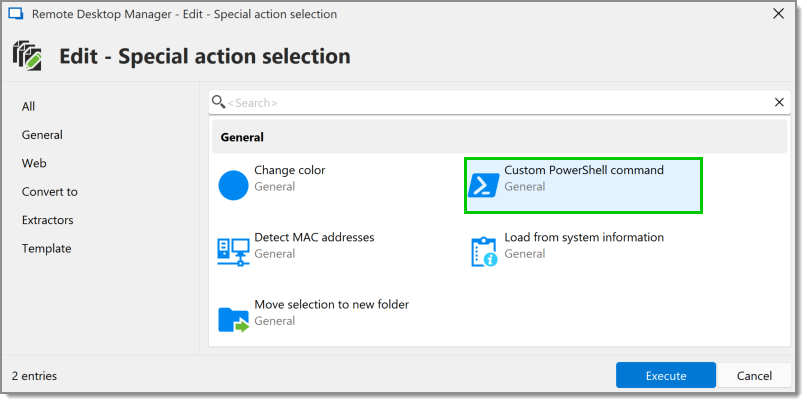
1. Faccia clic con il tasto destro sulla voce o sulle voci, quindi selezioni ***Modifica – Modifica (azioni speciali)***.
2. Una volta lì, selezioni ***Comando PowerShell personalizzato***.
3. Appare una finestra in cui può scrivere uno snippet di codice. Noti che l'ultima riga deve essere sempre `$RDM.Save();`.
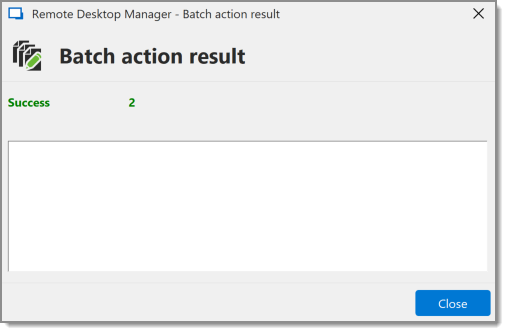
4. Premendo ***Ok***, appare una finestra di riepilogo che indica il successo o l'errore.
---
# Agent Instructions
This documentation is published with GitBook. GitBook is the documentation platform designed so that both humans and AI agents can read, navigate, and reason over technical content effectively. Learn more at gitbook.com.
## Querying This Documentation
If you need additional information that is not directly available in this page, you can query the documentation dynamically by asking a question.
Perform an HTTP GET request on the current page URL with the `ask` query parameter, and the optional `goal` query parameter:
```
GET https://docs.devolutions.net/powershell/it/remote-desktop-manager-powershell/powershell-scripting/custom-powershell-commands.md?ask=&goal=
```
`ask` is the immediate question: it should be specific, self-contained, and written in natural language.
`goal` is optional and describes the broader end goal you are ultimately trying to accomplish on behalf of the user. GitBook uses it to tailor the answer towards what is most useful for that goal.
The response will contain a direct answer to the question and relevant excerpts and sources from the documentation.
Use this mechanism when the answer is not explicitly present in the current page, you need clarification or additional context, or you want to retrieve related documentation sections.